
Appearance
Step 6: Query Ingested Dataset
Copy the Target Table Name
Note the value in the Ingestion Target Table column on the Ingestion Tasks view. Copy the fully qualified table name for use in a Snowsight query.
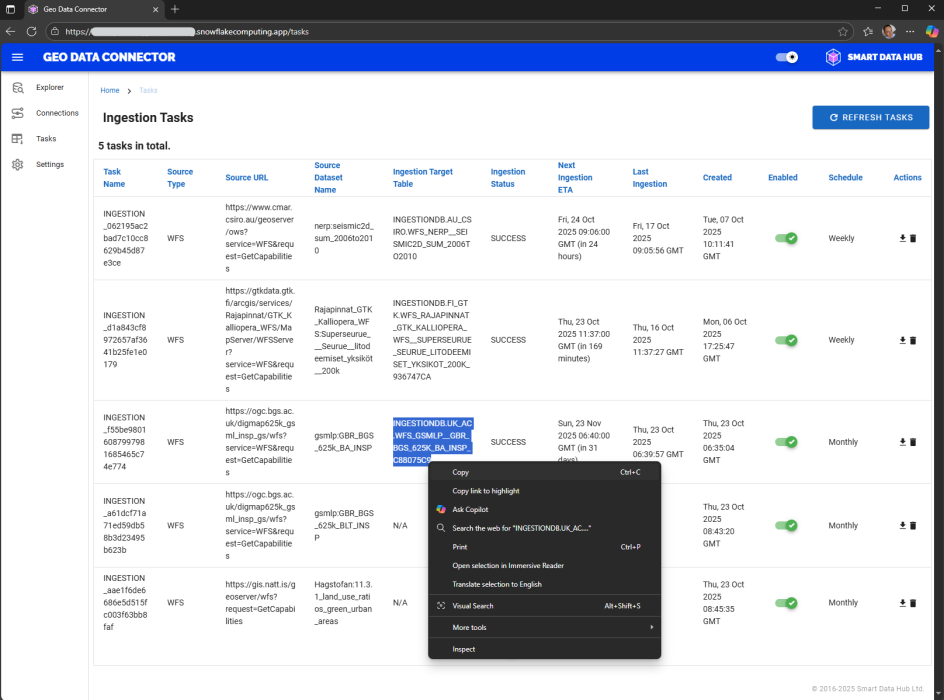
Ingestion Tasks view with target table name highlighted for copying
Locate the Table in Snowsight
Open Snowsight's Database Explorer and navigate to the ingested table under the ingestion target database.
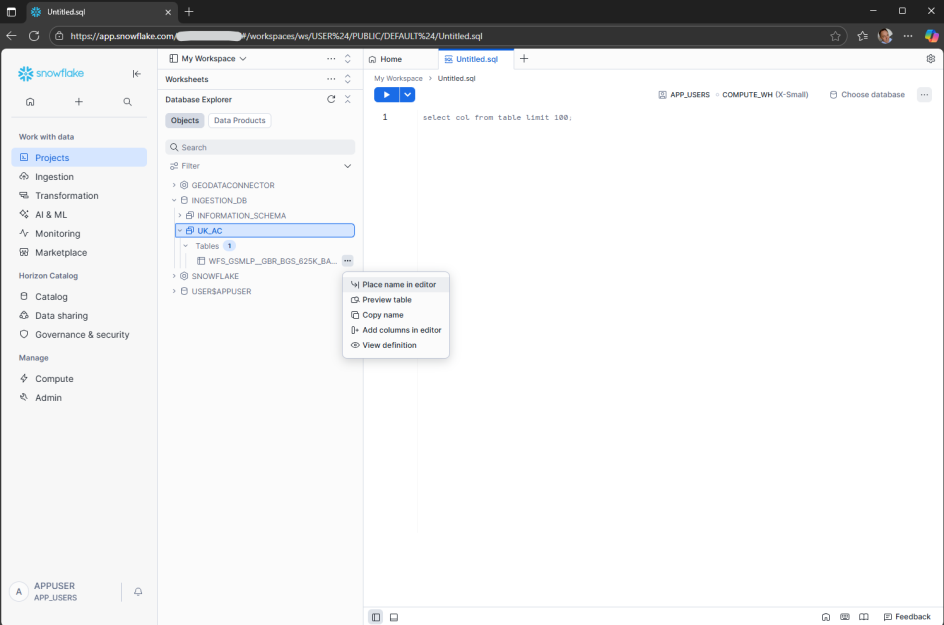
Snowsight Database Explorer showing the ingested table
Run a Query
Create a new worksheet in Snowsight and run a geospatial query on the ingested dataset. The geom_wgs84 column contains the geographic information in GeoJSON format.
Example Query
sql
SELECT *
FROM <ingestion_target_table>;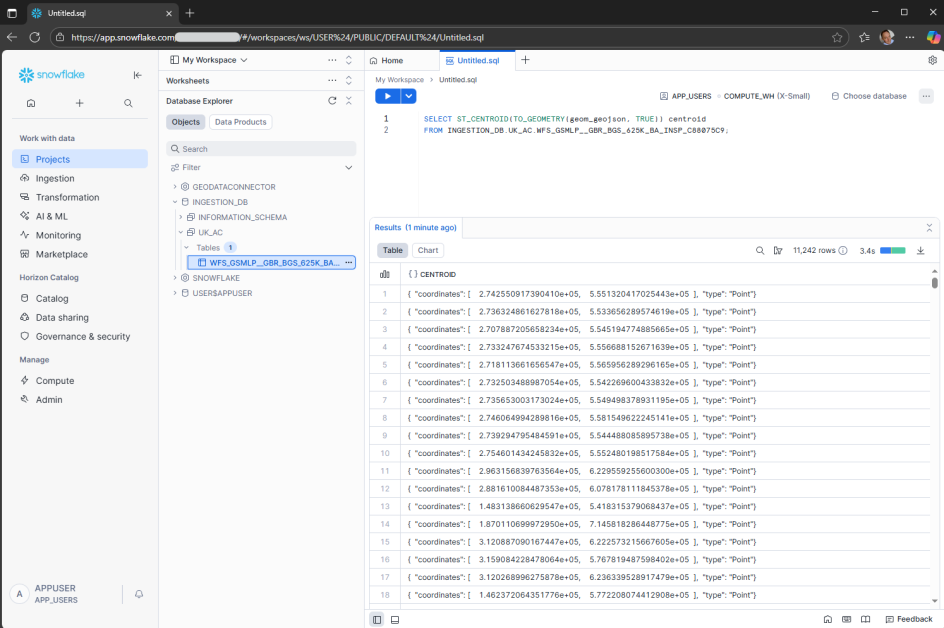
Snowsight worksheet showing query results from an ingested dataset
Previous: Step 5: Monitor Ingestion Task
Next: Step 7: Stop Application